

Making changes to your domain’s nameserver or DNS records is a routine part of managing websites, but there’s always that anxious waiting period afterward. Did the changes go through? Is your site visible worldwide yet? Understanding how to check DNS propagation takes the guesswork out of this process and gives you peace of mind that your updates are working correctly across the globe.
DNS propagation is the time it takes for your domain name system changes to update across all servers worldwide. When you modify DNS records or switch nameservers, these updates don’t happen instantly everywhere. Instead, they gradually spread through the internet’s network of DNS servers. Learning to monitor this process helps you troubleshoot issues quickly and know exactly when your changes are live for visitors around the world.
What is DNS Propagation?
DNS propagation refers to the period when DNS record changes or nameserver updates spread across the internet’s global network of DNS servers. Think of it like ripples in a pond—when you drop a stone (make a DNS change), the ripples (updates) spread outward until they reach every corner.
The domain name system works as the internet’s phonebook, translating human-readable domain names into IP addresses that computers understand. When you update DNS records or change nameservers, authoritative nameservers publish the new information. However, recursive DNS servers maintained by internet service providers and organizations cache this information based on TTL values.
During propagation, some users might see your old website while others see the new one. Some email might route to old servers while new messages go to updated ones. This transition period is completely normal and expected behavior for DNS changes.
Understanding DNS Propagation Time and Delays
Most DNS changes propagate within 24 to 48 hours, though many complete much faster. The actual propagation time depends on several factors working together.
The TTL value plays the biggest role in propagation speed. Time to Live tells DNS resolvers how long to cache your DNS information before checking for updates. A TTL of 3600 seconds means servers will cache your records for one hour. Lower TTL values speed up propagation, while higher values create longer delays.
ISP DNS servers don’t all update simultaneously. Some refresh their cache more frequently than others, creating regional differences in propagation timing. Your local DNS cache also affects what you personally see, which is why flushing your DNS cache often shows updated records before they’re globally available.
Nameserver changes typically take longer than simple DNS record updates because they involve additional steps at the domain registrar level. The change must first update in the domain registry’s database before spreading to other servers.
Why DNS Propagation Takes Time Globally
The internet’s distributed architecture makes instant global updates impossible. Understanding why helps set realistic expectations when making DNS changes.
DNS resolvers worldwide operate independently, each maintaining their own cache based on TTL settings. When your authoritative nameserver publishes new information, these servers don’t immediately fetch it. They wait until their cached version expires or someone requests a fresh lookup.
Root nameservers and top-level domain servers update on their own schedules. Changes to NS records must propagate through these higher-level servers before reaching end users, adding layers to the update process.
Geographic distance from authoritative servers also affects propagation speed. DNS queries from Asia checking servers in North America naturally take longer than local lookups due to network latency and routing paths.
Best Free DNS Propagation Checker Tools
Several excellent free tools help verify DNS propagation across multiple global locations. These online DNS checkers eliminate guesswork by showing real-time DNS resolution worldwide.
whatsmydns.net stands out as one of the most user-friendly options. Enter your domain and select the record type to check DNS servers across 30+ locations spanning every continent. The clean interface shows results with color-coded status indicators, making it instantly clear where propagation is complete.
dnschecker.org offers comprehensive DNS lookup capabilities from multiple geographic regions. Check A records, CNAME records, MX records, TXT records, and more simultaneously. The tool displays response times alongside results, helping identify slow-responding servers.
DNS Propagation Checker by ViewDNS provides detailed DNS query results from various global locations. This web-based DNS checker supports all major record types and includes historical DNS data, useful for tracking changes over time.
MXToolbox DNS lookup goes beyond basic checking with diagnostic tools for troubleshooting DNS issues. It analyzes your DNS configuration and highlights potential problems affecting propagation or resolution.
Cloudflare DNS checker leverages Cloudflare’s extensive server network to test DNS resolution from their data centers worldwide. The results reflect what users in different regions actually experience.
How to Check DNS Propagation Step-by-Step
Verifying nameserver changes and DNS record propagation follows a straightforward process. Here’s how to check DNS propagation effectively:
Step 1: Choose Your DNS Propagation Checker Tool
Select a reliable online DNS propagation checker from the options mentioned above. For comprehensive results, whatsmydns.net or dnschecker.org work excellently. Open the tool in your browser—no sign-up required.
Step 2: Enter Your Domain Name
Type your domain name in the search field without the “http://” or “www” prefix. Just enter “yourdomain.com” exactly as registered. Double-check spelling to avoid incorrect results.
Step 3: Select the DNS Record Type
Choose which record type you want to verify:
- A record for IPv4 address changes
- AAAA record for IPv6 addresses
- CNAME for subdomain aliases
- MX record for email server routing
- TXT record for verification codes or SPF settings
- NS record for nameserver verification
Select the specific record type you recently updated to see accurate propagation status.
Step 4: Review Global Results
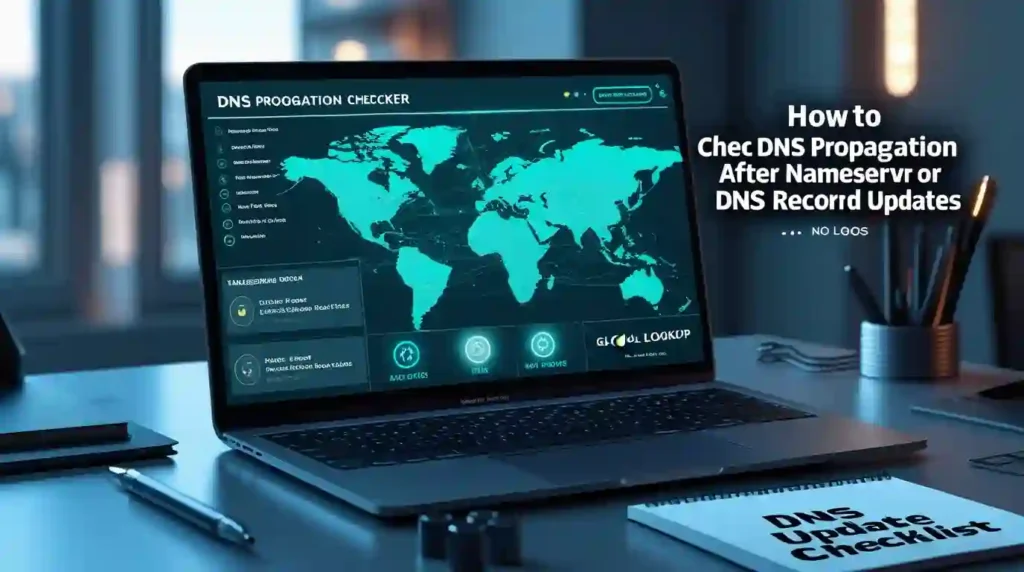
The tool displays DNS resolution results from servers in different countries and regions. Green checkmarks or matching values indicate successful propagation in that location. Red X marks or different values show where old records still exist.
Step 5: Verify Multiple Locations
Check DNS propagation from different geographic regions relevant to your audience. If you serve users in Europe and Asia, ensure those regions show updated records. DNS propagation Europe and DNS propagation Asia results should match your expected values.
Step 6: Recheck Periodically
If some locations show outdated information, wait 30-60 minutes and check again. Propagation continues working in the background. Most DNS changes complete within a few hours, though full global propagation may take up to 48 hours.
Top Online DNS Propagation Testing Tools
Beyond basic checkers, several specialized DNS tools provide advanced monitoring and diagnostics for tracking DNS changes more thoroughly.
Google Public DNS (8.8.8.8) can be queried directly using command-line tools or web interfaces. This widely-used DNS resolver provides a reliable reference point for checking if major DNS servers see your updates.
DNS Checker by KeyCDN offers real-time DNS propagation monitoring with servers strategically placed across content delivery network locations. This tool excels for checking CDN propagation alongside standard DNS updates.
IntoDNS performs comprehensive DNS and mail server health checks. Beyond propagation verification, it analyzes your entire DNS configuration for common mistakes, misconfigurations, and potential issues affecting performance.
Dig web interface provides command-line-style DNS queries through a browser. Technical users appreciate the detailed output showing authoritative responses, query times, and complete DNS resolution paths.
NSLookup online tools replicate the classic command-line utility in web form. They’re perfect for quick DNS verification without opening a terminal window.
DNS Propagation Checker: Multi-Location Verification
Multi-location DNS checking reveals the true picture of your propagation status. Different geographic regions update at different rates, making single-location checks insufficient for global websites.
Check DNS propagation USA servers first if you’re based in North America, but don’t stop there. Verify DNS propagation UK, DNS propagation Australia, DNS propagation Canada, and DNS propagation India to ensure worldwide coverage. Regional DNS propagation patterns often show that North American and European servers update faster than those in Asia or other distant regions.
ISP DNS servers vary significantly in their cache refresh rates. Major providers like Comcast, Verizon, or AT&T might update quickly, while smaller regional ISPs take longer. Testing across multiple locations captures this diversity.
DNS servers by country have different relationships with authoritative nameservers. Geographic proximity to your hosting provider generally correlates with faster propagation times, though not always.
Troubleshooting Slow DNS Propagation
When DNS propagation seems stuck or taking too long, several factors might be causing delays. Identifying and addressing these issues speeds up the process.
DNS propagation stuck often results from high TTL values set before making changes. If your previous TTL was 86400 seconds (24 hours), servers won’t check for updates until that period expires. Unfortunately, you can’t retroactively change this—you must wait out the original TTL period.
DNS not propagating to specific regions might indicate problems with authoritative nameservers. Verify your nameserver changes actually saved at your domain registrar. Log into your registrar account and confirm the NS records match your intended configuration.
Slow DNS propagation across all locations suggests issues at the authoritative nameserver level. Check that your DNS hosting provider’s servers are responding correctly. Use diagnostic tools to query them directly and ensure they’re returning the expected records.
DNS not updating globally despite waiting 48+ hours requires deeper investigation. Verify your domain isn’t locked at the registrar level, check for DNSSEC configuration issues if enabled, and confirm authoritative nameservers are accessible from multiple networks.
Local DNS cache can make propagation appear stuck when it’s actually complete. Flush your DNS cache to see real-time results rather than stale local data.
How to Speed Up DNS Propagation
While you can’t force DNS resolvers worldwide to update immediately, several strategies minimize propagation delays for future changes.
Lower TTL values before making changes. Plan ahead by reducing your TTL to 300 seconds (5 minutes) at least 24-48 hours before updating DNS records. After propagation completes, raise TTL back to 3600 or higher to reduce query load on your nameservers.
Use reputable DNS hosting providers. Premium DNS services like Cloudflare, Amazon Route 53, or Google Cloud DNS maintain highly available infrastructure with fast propagation times due to their authoritative server network.
Make changes during low-traffic periods. Updates made during overnight hours in your primary market reduce the impact on visitors while propagation completes.
Avoid frequent DNS changes. Constant modifications confuse caching systems and extend effective propagation times. Plan changes carefully and implement them all at once when possible.
Monitor propagation actively. Use real-time DNS checkers to track progress and identify issues early. Quick detection of problems allows faster resolution.
Checking Nameserver Propagation After Updates
Nameserver changes require special attention because they affect how all DNS records for your domain resolve. Verifying nameserver propagation ensures your domain points to the correct DNS servers.
Check nameserver propagation using NS record lookups in your DNS propagation checker tool. Enter your domain and select “NS” as the record type. Results should show your new nameserver hostnames at all checked locations.
Nameserver propagation time after change typically takes 24-48 hours, sometimes longer than individual record updates. The domain registry must first update its database, then this information propagates to root nameservers and TLD servers before reaching end-user DNS resolvers.
To verify nameserver changes propagated, compare DNS checker results against your intended nameservers. All locations should eventually show matching NS records. Mixed results indicate ongoing propagation.
DNS Propagation by Record Type
Different DNS record types serve distinct purposes, and understanding each helps when troubleshooting propagation issues for specific services.
A record propagation affects how your primary domain and subdomains resolve to IPv4 addresses. Check A record propagation when moving websites to new hosting providers or changing server IP addresses. Website accessibility depends on these records updating correctly.
CNAME propagation matters for subdomains pointing to other domains. Common uses include www subdomains, CDN configurations, and third-party service integrations. CNAME records propagate at the same rate as other record types.
MX record propagation controls email routing. When changing email providers or setting up new mail servers, verify MX records propagate fully before transitioning email services. Incomplete MX propagation causes email delivery problems.
TXT record propagation includes SPF, DKIM, and domain verification records. These affect email authentication and third-party service verification. Check TXT records when configuring email security or verifying domain ownership.
AAAA record propagation handles IPv6 addresses, growing in importance as IPv6 adoption increases. Sites supporting both IPv4 and IPv6 must verify both A and AAAA records propagate correctly.
Regional DNS Propagation: Location-Specific Checks
Geographic distribution of DNS servers creates regional variation in propagation timing. Testing location-specific propagation reveals these patterns and helps identify region-specific issues.
DNS propagation worldwide doesn’t happen uniformly. Servers in North America and Europe typically update fastest due to infrastructure concentration. DNS propagation Asia and other regions with fewer tier-1 DNS providers may lag slightly behind.
Check DNS propagation from different locations relevant to your audience demographics. E-commerce sites serving global customers need verification across all major regions. Local businesses can focus on their geographic area but should still verify major DNS resolvers see updates.
Local DNS cache at the ISP level creates additional regional variation. Even after authoritative nameservers update, local resolvers retain cached records until TTL expires. This explains why two users in the same city might see different results during propagation.
Frequently Asked Questions About DNS Propagation
Q1: What is DNS propagation?
DNS propagation is the process where DNS record changes or nameserver updates spread across the global network of DNS servers. It’s the time delay between making DNS changes and those changes becoming visible worldwide.
Q2: How long does DNS propagation take?
Most DNS changes propagate within 24 to 48 hours globally. However, many updates become visible within 1-4 hours for most users. Propagation time depends on TTL values, DNS resolver cache settings, and the type of change made.
Q3: Can I speed up DNS propagation?
You can’t force instant propagation, but lowering TTL values to 300-600 seconds before making changes minimizes delays. Using reliable DNS hosting providers and planning changes during low-traffic periods also helps optimize propagation speed.
Q4: Why is my DNS not propagating?
DNS might appear stuck due to high TTL values on previous records, domain registrar delays with nameserver changes, DNS cache on your local computer or network, or configuration errors at authoritative nameservers. Verify changes saved correctly and flush local DNS cache.
Q5: How do I check if DNS has propagated worldwide?
Use online DNS propagation checkers like whatsmydns.net or dnschecker.org to verify DNS resolution from multiple global locations. These tools query DNS servers across different countries and display whether updated records are visible in each region.
Q6: What is TTL in DNS propagation?
TTL (Time to Live) tells DNS resolvers how long to cache DNS records before checking for updates. A TTL of 3600 seconds means servers cache your records for one hour. Lower TTL values result in faster propagation, while higher values reduce query load but slow updates.
Q7: Do nameserver changes take longer than DNS record changes?
Yes, nameserver changes typically require more time because they must update through domain registries and root nameservers before propagating to end-user DNS resolvers. Nameserver propagation often takes the full 24-48 hours, while individual record updates may complete faster.
Q8: Is there a free DNS propagation checker?
Multiple free DNS propagation checker tools exist, including whatsmydns.net, dnschecker.org, MXToolbox, and Cloudflare’s DNS checker. These require no sign-up and provide instant results from servers worldwide.
Q9: Why do different locations show different DNS results?
DNS resolvers cache records independently based on their local TTL settings and update schedules. Geographic distance from authoritative nameservers, ISP DNS server configurations, and network routing differences create regional variation during propagation.
Q10: Can I use my website during DNS propagation?
Yes, websites remain accessible during DNS propagation. Some visitors see the old version while others see the new one, depending on which DNS servers their devices query. This mixed state is temporary and resolves once propagation completes globally.
Making DNS changes doesn’t have to be stressful when you understand propagation and know how to verify it properly. Using reliable DNS propagation checker tools gives you visibility into the update process across different regions and helps troubleshoot issues quickly. Remember to plan ahead by lowering TTL values before major changes, verify updates from multiple global locations, and allow sufficient time for complete worldwide propagation. With these practices, you’ll confidently manage DNS updates knowing exactly when your changes go live for users everywhere.






