
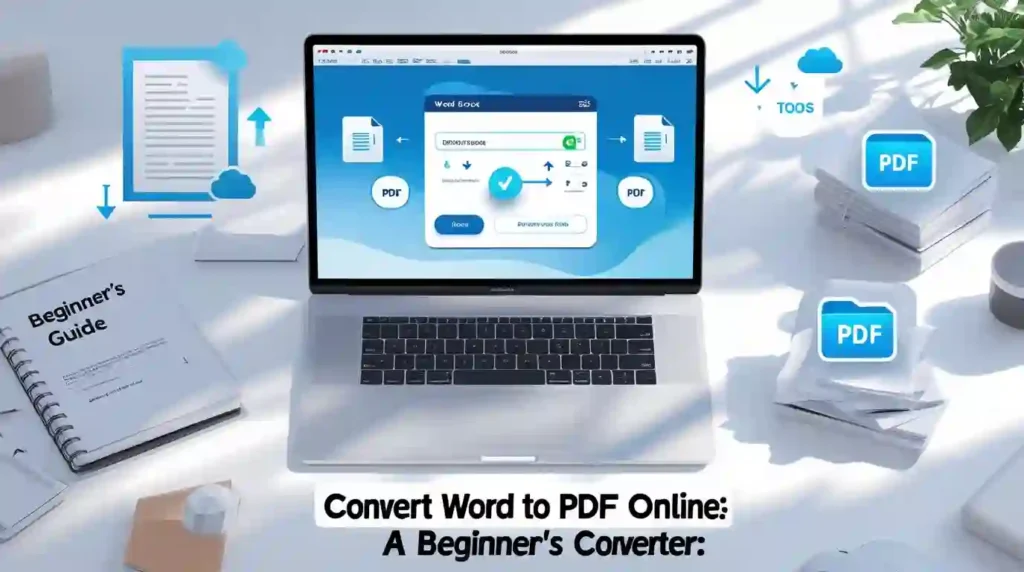
Need to convert your Word documents to PDF format quickly? You’re not alone. Every day, millions of people search for ways to transform their doc files into portable document format. Whether you’re submitting a resume, sharing a contract, or sending an academic paper, converting Word to PDF ensures your formatting stays perfect and your document looks professional on any device. This beginner-friendly guide shows you exactly how to convert word to pdf free online using simple, browser-based tools that require zero technical skills.
What is Word to PDF Conversion?
Word to PDF conversion is the process of transforming Microsoft Word documents (.doc or .docx files) into portable document format (.pdf files). This digital document conversion preserves your original formatting, fonts, images, and layout while creating a universal file format that anyone can open and view consistently across different devices and operating systems.
When you convert doc to pdf, you’re essentially creating a snapshot of your document that looks identical whether someone opens it on Windows, Mac, Android, or iOS. The PDF format prevents accidental editing and maintains your professional appearance, making it the standard choice for business documents, academic papers, resumes, and official forms.
The beauty of modern online file converters is that you don’t need expensive software like Adobe Acrobat. Free word pdf converter tools available through your browser handle the entire process in seconds, making document transformation accessible to everyone.
Why Convert Word Documents to PDF?
Understanding the benefits of pdf format helps you decide when to use this document sharing solution:
Universal Compatibility: PDF files open correctly on every device and operating system. Your carefully formatted document won’t suddenly change appearance when your recipient uses different software.
Professional Appearance: Converting word to pdf creates a polished, print-ready document that signals professionalism. Employers, clients, and academic institutions often require PDF submissions for this exact reason.
Format Preservation: Worried about fonts, images, or tables shifting around? PDF conversion locks everything in place. Your document formatting preservation is guaranteed, maintaining exact spacing, colors, and layout.
Secure Sharing: PDFs are harder to edit accidentally, protecting your content integrity. You can also add password protection to sensitive documents after conversion.
Smaller File Size: PDF compression often reduces file size compared to Word documents, making them easier to email and faster to download.
Print Consistency: What you see on screen is exactly what prints. There’s no risk of pagination issues or formatting surprises when you convert office documents to PDF.
How ToolifyWorlds Makes Conversion Simple
Toolify Worlds offers a powerful yet straightforward word to pdf converter online that handles your document conversion needs without hassle. This browser-based converter processes your files securely in the cloud, meaning you don’t download or install anything on your computer.
The platform uses smart document conversion technology that analyzes your Word file and accurately recreates every element in PDF format. Whether your document contains complex tables, embedded images, hyperlinks, or custom fonts, the conversion tool maintains everything perfectly.
What makes Toolify Worlds stand out is its commitment to user privacy. Your uploaded files are processed immediately and deleted from servers within minutes. There’s no registration required, no email sign-up, and definitely no storing of your personal documents.
The converter handles both .doc and .docx formats seamlessly, supporting documents created in Microsoft Word, Google Docs (when downloaded as Word files), and other word processing software. File size limits are generous enough for most typical documents, and the conversion happens in real-time with instant results.
How to Use ToolifyWorlds Word to PDF Converter (Step-by-Step)
Converting your Word document to PDF takes just three simple steps:
Step 1: Upload Your Word File Visit Toolify Worlds and navigate to the Word to PDF converter tool. Click the upload button or simply drag and drop your .doc or .docx file into the conversion area. The tool accepts documents from your computer, or you can connect to cloud storage like Google Drive or Dropbox for instant access.
Step 2: Start the Conversion Process Once your file uploads, the converter automatically detects the format and prepares for transformation. Click the “Convert to PDF” button to begin. The conversion process typically completes in 5-15 seconds, depending on your document size and complexity.
Step 3: Download Your PDF File When conversion finishes, you’ll see a preview of your new PDF file. Review it quickly to ensure everything looks correct, then click the download button to save it to your device. The converted PDF maintains your original filename with a .pdf extension for easy identification.
That’s it! No complicated settings to configure, no technical knowledge required. The entire process from upload to download takes less than a minute for most documents.
Pro Tip for Batch Conversion: Need to convert multiple word documents at once? Some advanced features allow you to upload several files simultaneously and download them all as a compressed ZIP folder, saving you valuable time when working with multiple files.
Advanced Features and Tips
Getting the most from your word to pdf converter online means understanding these helpful features:
Maintaining Hyperlinks: Good converters preserve clickable links in your document. When you convert word to pdf maintaining hyperlinks, recipients can click directly through to websites, email addresses, or internal document sections.
Preserve Formatting Perfectly: To ensure your document looks exactly right, check these elements before converting: custom fonts (use common ones like Arial or Times New Roman for best compatibility), image placement and quality, table borders and shading, and header/footer content.
Mobile Device Conversion: Yes, you can convert word to pdf on mobile device! ToolifyWorlds works perfectly on smartphones and tablets. Simply access the website through your mobile browser, upload from your phone storage or cloud apps, and download the converted PDF directly to your device.
Password Protected Documents: If you need to convert password protected word to pdf, you’ll first need to remove the password protection in Word itself, then upload the unlocked document for conversion. This security measure protects document owners’ intentions.
Quality Optimization: Most converters automatically optimize image quality for a balance between file size and clarity. If your document contains high-resolution photos and you need maximum quality, look for quality settings in advanced options.
Who Can Use This Tool? (Real-World Use Cases)
The versatility of pdf conversion tools serves diverse users across different fields:
Students and Educators: Submit assignments in the required PDF format, share study materials that maintain formatting across devices, create handouts and worksheets that print identically for every student, and archive research papers in a standardized format.
Business Professionals: Send contracts and proposals that recipients cannot accidentally modify, create professional resumes that look perfect to every hiring manager, share reports with consistent formatting across the entire team, and prepare presentation materials for distribution.
Freelancers and Creatives: Deliver completed work to clients in a professional, polished format, create portfolios where design and layout are crucial, send invoices that maintain proper formatting and branding, and share project documentation that’s easy for clients to review and approve.
Remote Workers: Exchange documents with teammates across different operating systems, ensure forms and templates display correctly for everyone, create documentation that’s accessible to global team members, and maintain professional standards in digital communication.
Non-Profit Organizations: Prepare grant applications and official documents, share informational materials with donors and volunteers, create consistent branding across all distributed materials, and archive important records in a long-term stable format.
Common Conversion Issues and Solutions
Even with user-friendly tools, you might occasionally encounter these situations:
Formatting Shifts: If your PDF doesn’t look quite right, the issue usually relates to custom fonts not being embedded. Solution: use standard web-safe fonts before converting, or check if your converter has an option to embed all fonts.
Large File Sizes: Documents with many images can create oversized PDFs. Solution: compress images in Word before converting, or use ToolifyWorlds’ compression feature after conversion to reduce PDF file size without losing quality.
Slow Conversion: Unusually long processing times typically indicate very large files or complex graphics. Solution: ensure stable internet connection, reduce document file size if possible, or try converting during off-peak hours.
Missing Elements: Rarely, some objects like special shapes or advanced formatting might not convert perfectly. Solution: simplify complex elements, convert embedded objects to images in Word first, or use the preview feature to check before downloading.
Security and Privacy Considerations
When you use any online document converter, security should be a priority. Here’s what you need to know:
Is Word to PDF Conversion Safe?: Yes, when using reputable platforms like ToolifyWorlds. The tool uses encrypted connections (HTTPS) to protect your file during upload and download, ensuring no one can intercept your document in transit.
Data Storage Policies: ToolifyWorlds processes conversions in memory and automatically deletes files within minutes after completion. Your documents aren’t stored on permanent servers, maintaining your privacy and confidentiality.
Sensitive Documents: For highly confidential files like financial records or legal contracts, consider these extra precautions: use a private internet connection rather than public WiFi, verify the website URL before uploading, clear your browser cache after conversion, or for maximum security, use desktop software for the most sensitive materials.
ToolifyWorlds vs Other Converters
What sets ToolifyWorlds apart from alternatives like SmallPDF or iLovePDF?
Comprehensive Tool Suite: Instead of just conversion, you get access to 100+ complementary tools in one place, including PDF compression, merging, splitting, and editing capabilities.
No Artificial Limits: Many “free” converters restrict daily conversions or file sizes. ToolifyWorlds offers unlimited conversions free without requiring account creation or premium upgrades.
Speed and Performance: Fast pdf creation with instant conversion means you’re not waiting around. The efficient processing handles even complex documents quickly.
Clean Interface: The simple interface doesn’t bombard you with ads or confusing options. It’s designed for hassle free process from start to finish.
Regular Updates: The platform continuously improves with new features and enhanced conversion accuracy, ensuring you always have access to cutting-edge document transformation technology.
Why Choose Toolify Worlds?
Selecting the right pdf conversion tool comes down to reliability, ease of use, and trustworthiness. Here’s why ToolifyWorlds earns users’ confidence:
All-in-One Platform: Access over 100 free conversion tools in a single location. Beyond word to pdf, you’ll find tools for images, videos, text processing, and more. This centralized approach saves you time hunting across multiple websites.
Safe and Secure: Your privacy matters. The platform employs industry-standard security protocols, never sells user data, and processes documents with complete confidentiality. Files are automatically purged from servers, ensuring your sensitive information stays private.
Lightning Fast Performance: Instant pdf conversion means you get results in seconds, not minutes. The cloud-based infrastructure handles processing efficiently, even during peak usage times.
Regular Tool Updates: The development team continuously refines conversion algorithms and adds new features based on user feedback. You’re always working with improved, up-to-date technology.
Built for Everyone: Whether you’re a student working on assignments, a developer needing quick file format conversion, a teacher preparing classroom materials, or a professional handling business documents, the intuitive design accommodates all skill levels. No technical knowledge required means truly anyone can use these tools effectively.
Zero Cost, Zero Hassle: No registration, no credit card, no email verification. Just straightforward, free access to professional-grade conversion tools whenever you need them.
Cross-Platform Support: Works seamlessly on desktop computers, laptops, tablets, and smartphones across Windows, Mac, Android, iOS, and Linux operating systems. Your browser is the only requirement.
Frequently Asked Questions
Q: Can I convert Word to PDF for free without downloading software? A: Yes, absolutely! ToolifyWorlds offers a completely free online word to pdf converter that works directly in your browser. No downloads, installations, or software purchases necessary. Simply upload your document and convert instantly.
Q: Will my document formatting stay the same after conversion? A: Yes, PDF conversion is specifically designed to preserve formatting. Your fonts, images, tables, colors, spacing, and layout remain exactly as they appear in your Word document. This format preservation is what makes PDF the universal standard for document sharing.
Q: How long does it take to convert a Word document to PDF? A: Most conversions complete in 5-15 seconds, depending on your document size and complexity. Simple text documents convert almost instantly, while files with many images or complex formatting might take slightly longer. The process is always quick and efficient.
Q: Is there a file size limit for conversion? A: ToolifyWorlds supports typical document sizes without issues. Most personal and business documents fall well within the generous limits. If you have an exceptionally large file (over 50MB), consider compressing images in Word first for faster processing.
Q: Can I use this converter on my phone or tablet? A: Yes! The mobile friendly converter works perfectly on all modern smartphones and tablets. Simply visit ToolifyWorlds through your mobile browser, upload from your device storage or cloud apps, and download the converted PDF directly to your phone.
Q: Do you store my documents after conversion? A: No. Your privacy is paramount. Documents are processed in temporary memory and automatically deleted from servers within minutes after conversion. ToolifyWorlds never stores, analyzes, or shares your files with anyone.
Q: Can I convert multiple Word documents at once? A: Yes, batch conversion features allow you to upload multiple Word files simultaneously and convert them all together, saving significant time when working with numerous documents. Each file converts individually and you can download them separately or as a compressed folder.
Q: Will hyperlinks in my document still work after conversion? A: Yes, properly formatted hyperlinks in your Word document remain clickable in the converted PDF. Recipients can click through to websites, email addresses, or internal document sections just as they would in the original file.
Final Thoughts
Converting Word to PDF doesn’t need to be complicated or expensive. With free online tools like Toolify Worlds, you can transform any document into professional, universally compatible PDF format in seconds. Whether you’re a student submitting assignments, a professional sharing business documents, or anyone who needs reliable document conversion, these browser-based tools provide everything you need without software installations or technical expertise.
The key is choosing a trustworthy platform that respects your privacy, delivers fast results, and maintains perfect formatting. Start converting your documents today and experience how simple digital document transformation can be.
Ready to convert your Word documents? Visit Toolify Worlds now and access free, unlimited PDF conversion along with 100+ other helpful tools designed to make your digital work easier.






