
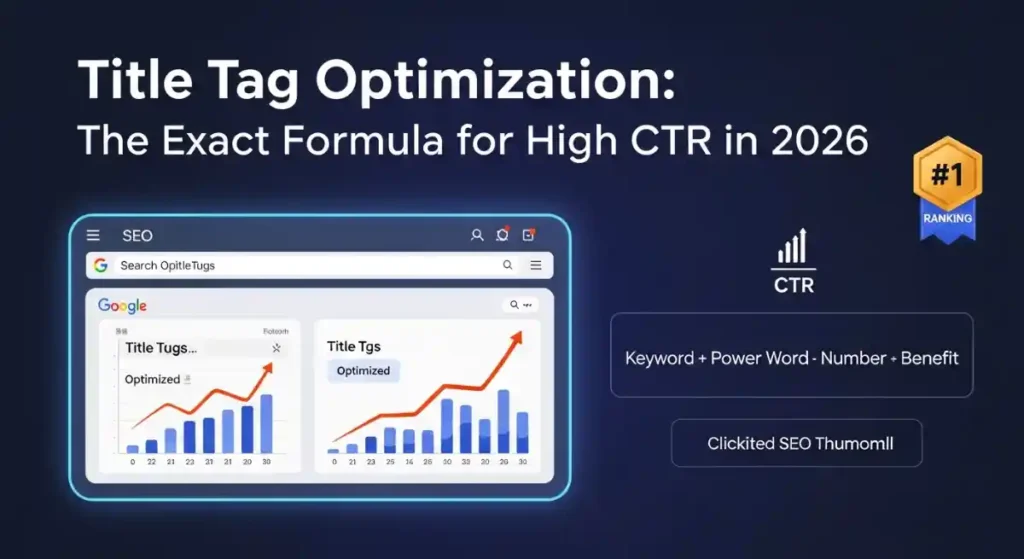
If you have ever wondered why two pages ranking in the same position on Google get completely different amounts of traffic, the answer is almost always the title tag. One title gets clicked. The other gets ignored. That one line of text sitting at the top of every search result is doing more work than most people realize — and in 2026, getting it right has never been more important or more competitive.
This is your complete, proven guide to title tag optimization. You will learn the exact formula for writing title tags that rank higher, get more clicks, and even appear in Google’s AI Overviews.
What Is a Title Tag in SEO?
A title tag is an HTML element found in the head section of a web page. It defines the clickable headline that appears in search engine results pages (SERPs), browser tabs, and social media previews when someone shares your link.
In code, it looks like this:
title Your Keyword Phrase — Brand Name /title
Simple, right? But do not let that simplicity fool you. The title tag is one of the strongest on-page SEO signals Google uses to understand what your page is about. It is also your first and often only chance to convince a searcher to click on your result instead of a competitor’s.
Think of the title tag as the headline on a newspaper front page. A great headline sells papers. A weak headline sits on the rack.
Why Title Tag Optimization Still Matters in 2026
Some people question whether title tags still matter given how much search has evolved. The answer is a firm yes — and here is why.
Google still uses the title tag as a primary relevance signal. When your page title contains the keyword a user searched for, Google sees that as strong evidence your page matches their intent. According to industry data, 73% of websites fail to include their primary keyword in the title tag — which means just getting this right puts you ahead of nearly three quarters of your competition.
Beyond rankings, title tags are a direct CTR lever. Research consistently shows that titles containing the primary keyword in the first five words see an average 15% higher click-through rate compared to alternatives. On a page getting 10,000 impressions per month, that can mean hundreds of extra clicks — for free.
There is another dimension in 2026 that makes this even more critical. Google’s AI Overviews now pull content directly from well-optimized pages to generate answers at the top of the SERP. Pages with clear, structured, intent-matched titles are far more likely to be cited in these AI-generated responses. If you want to appear in AI Overview results, your title tag is the front door.
The Exact Title Tag Formula for High CTR in 2026
After analyzing thousands of high-performing SERPs, the formula that consistently produces the best results is:
Primary Keyword + Benefit or Number + Power Word + Year Modifier
Here is what that looks like in practice:
- Title Tag Optimization: The Exact Formula for High CTR in 2026
- How to Write Title Tags That Get More Clicks in 2026 — Proven Guide
- Title Tag SEO Best Practices: 10 Actionable Tips to Boost Your CTR Fast
Let us break down each component.
1. Front-Load Your Primary Keyword
Keyword prominence matters enormously. Google assigns more relevance weight to words that appear early in the title. Users also follow an F-shaped reading pattern when scanning search results — their eyes land on the beginning of each line first. If your keyword is buried at the end, you lose on both counts.
Correct: “Title Tag Optimization: The Exact Formula for High CTR in 2026” Weak: “The Exact Formula for High CTR in 2026: Title Tag Optimization”
The difference seems small but it is significant in how both Google and users process the title.
2. Use a Number or Specific Benefit
Numbers create an immediate promise. A title that says “7 Proven Ways to Optimize Your Title Tags” tells the reader exactly what they are getting. Specificity builds trust and reduces uncertainty, which is one of the biggest barriers to clicking.
Benefit-driven phrases work equally well. Words like “Get More Clicks,” “Boost Your CTR,” or “Rank Higher in 2026” communicate the value of clicking before the user has even visited your page.
3. Add a Power Word
Power words trigger an emotional or psychological response that makes your title irresistible. Words like Ultimate, Proven, Exact, Complete, Step-by-Step, and Expert all signal that your content is authoritative and thorough.
Research shows titles containing words like “Complete,” “Ultimate,” or “Proven” alongside a year modifier achieve 20 to 30% higher CTR than plain alternatives.
4. Include the Year (Where Relevant)
Adding “2026” signals that your content is current and up to date. In fast-moving fields like SEO, users actively filter for recent information. A year modifier can be the deciding factor between a user clicking your result versus a competitor’s that looks outdated.
Title Tag Character Limit and Length in 2026
Google measures title tags by pixel width, not character count. However, for practical purposes, the safe range is 50 to 60 characters (roughly 500 to 600 pixels). Anything beyond that risks truncation, where your title gets cut off with an ellipsis in the search result.
Here is the key rule: your most important information — your primary keyword and core benefit — must appear within the first 50 characters. Everything else is a bonus.
A tight, punchy 55-character title also displays as a single bold line on mobile screens, which carries a measurable advantage for CTR. With mobile search now accounting for over 60% of all queries, mobile SERP truncation is not a minor issue — it is a primary concern.
What happens if your title tag is too long? Google may truncate it, cutting off your benefit statement and reducing the appeal of your result. Worse, if Google finds your title too long, vague, or mismatched to page content, it may rewrite it entirely.
Why Google Rewrites Your Title Tags (And How to Stop It)
This is one of the most frustrating experiences in SEO. You carefully craft a title, publish your page, and then check Google only to find it has swapped your title for something completely different.
Google rewrites title tags when:
- The title is too long and gets truncated in a way that distorts meaning
- The title does not match the actual content of the page
- The title appears to be keyword-stuffed or spammy
- The title does not reflect the dominant search intent for queries the page ranks for
- There are duplicate title tags across multiple pages of the site
The fix is straightforward. Write titles that genuinely reflect your page content. Match your title to user intent. Keep it within the 50 to 60 character limit. And make sure every page on your site has a unique title — duplicate title tags are one of the most common causes of Google overriding your metadata.
You can check your pages for duplicate titles using tools like Screaming Frog SEO Spider, which crawls your entire site and flags problematic title tags. For a complete technical SEO audit, check out the Technical SEO Checklist 2026 on Toolify Worlds — it covers every on-page element that affects your rankings.
Title Tag vs H1 Tag: What Is the Difference?
This confuses a lot of people and it is worth getting clear on.
The title tag appears in the SERP as the clickable blue headline. The H1 tag appears at the top of the page itself — the heading that welcomes the visitor after they click through.
They do not have to be identical, but they should be closely related. Google compares your title tag, H1, and opening paragraph to check for consistency. If your title promises one thing and your H1 says something completely different, that is a trust and relevance signal problem.
Best practice is to have the same primary keyword in both your title tag and H1. The wording can differ slightly — your H1 can be more conversational or expanded — but the core keyword and topic should match.
Power Words That Boost CTR in 2026
The psychology of clicking is well understood. Certain words trigger emotional and rational responses that make users more likely to choose your result. Here are the most effective power words for title tags right now:
Urgency words: Now, Today, Fast, Instantly Trust words: Proven, Tested, Expert, Research-Backed Value words: Free, Complete, Ultimate, Full, Step-by-Step Specificity words: Exact, Precise, Guide, Formula, Checklist Current relevance: 2026, Latest, Updated, New
Use these sparingly and strategically. Cramming every power word into one title (“Ultimate Proven Expert Complete Guide 2026”) looks spammy and reduces credibility. Pick one or two that best match the intent of your page.
How to Optimize Title Tags for Google’s AI Overview
AI Overviews are now the most visible real estate on Google’s search results page. Appearing in an AI Overview citation can send significant traffic even from positions that would normally underperform.
Here is how to write title tags and supporting content that increases your chances of being featured:
Your title should directly state the topic in factual, clear language. AI Overview algorithms favor pages that answer a specific question or fulfill a specific intent — not pages that are vague or overly promotional.
Your meta description should include the target keyword as early as possible and read as a standalone sentence. Because AI Overviews sometimes display your description without the surrounding context of your page, it needs to make complete sense on its own.
Your content structure matters as much as your title. Use clear H2 and H3 headings, short paragraphs, and direct answers. An article that mirrors the structure of what a good answer looks like is far more likely to be sourced by Google’s AI.
For schema markup and structured data that helps AI systems read your content, pair your title optimization with proper FAQ schema. You can generate FAQ schema instantly using the FAQ Schema Generator at Toolify Worlds — no coding required.
Title Tag Optimization for Local SEO
If you run a local business or serve a specific geographic area, location-specific keywords in your title tag are not optional — they are essential.
The formula for local title tags is:
Service + City/Location + Benefit or Trust Signal
Examples:
- “SEO Services in Lahore | Proven Results Since 2019”
- “Best Web Design Company in Karachi — Free Consultation”
- “Tax Calculator for Pakistani Freelancers | Fast & Accurate”
For multi-location businesses, each location page should have a unique title that includes the specific city or service area. Never use the same title tag across multiple location pages — this creates duplicate title tag issues that confuse both Google and users.
NAP consistency matters here too. Your business name, address, and phone number should appear consistently across your website and Google Business Profile. Inconsistencies erode trust with search engines and hurt your map pack visibility.
Local search has exploded in intent-based queries. According to recent data, 46% of all Google searches now carry local intent — meaning nearly half of all searches are people looking for something near them. Getting your local title tags right is a direct line to that enormous audience.
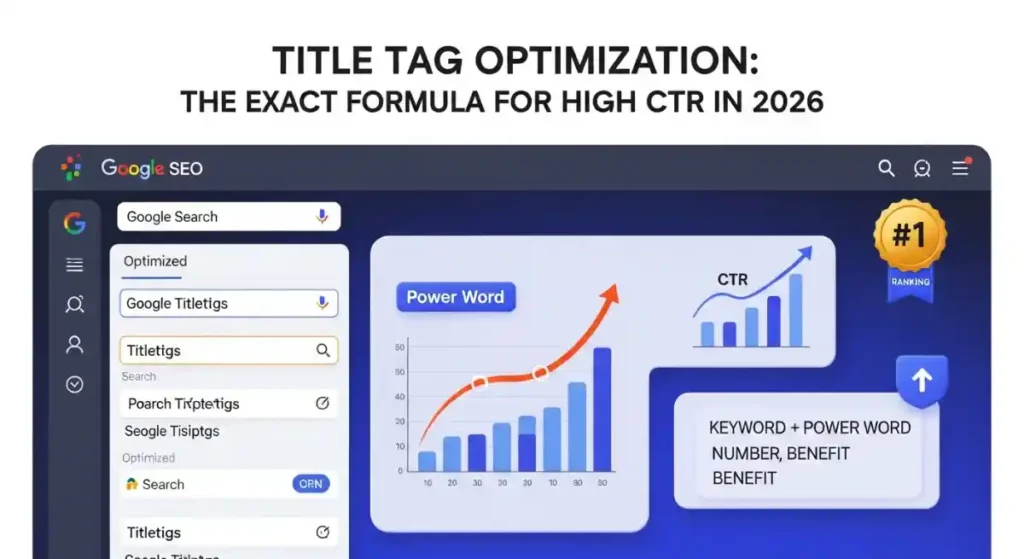
Checking and Auditing Your Title Tags
You cannot improve what you do not measure. Here are the essential tools for title tag auditing:
Google Search Console is your free, first-stop tool. Open the Performance report, filter by page, and look for pages with high impressions but low CTR. These are your priority targets — pages that are being seen but not clicked, which is almost always a title tag and meta description problem.
Screaming Frog SEO Spider crawls your entire site and identifies duplicate titles, missing title tags, titles that are too long, and titles that are too short. Run a crawl quarterly as part of your on-page SEO checklist.
Ahrefs and similar tools allow you to see which keywords your pages rank for versus what your titles say. If your page ranks for a high-value keyword that does not appear in your title, that is a quick win you are leaving on the table.
For checking meta tag performance directly, the Meta Tag Analyzer at Toolify Worlds gives you instant feedback on your title tag length, structure, and optimization quality.
While you are auditing, also check your page’s Core Web Vitals — slow-loading pages hurt CTR even when the title is perfect because Google demotes poor user experience signals. Read the complete Core Web Vitals Fix Guide 2026 for a full walkthrough.
A/B Testing Your Title Tags
Most SEO guides skip this step but it is one of the highest-leverage activities you can do. Small wording changes in a title can produce 15 to 30% swings in CTR — and those changes compound over months of traffic.
Google Search Console now includes a built-in A/B testing feature for title tags and descriptions. Here is the process:
- Open Performance in Search Console and filter to a specific page
- Record the baseline CTR and impressions for the current title
- Change the title to your test variant and wait 2 to 4 weeks
- Compare CTR and average position before and after
Test one variable at a time — power word, year modifier, question format versus statement format. This gives you clean data on what actually moved the needle.
Title Tag Templates You Can Use Today
Here are proven fill-in-the-blank templates you can adapt immediately:
For how-to articles: “How to [Achieve Goal] in [Timeframe] — [Year] Step-by-Step Guide”
For list posts: “[Number] Proven Ways to [Solve Problem] in [Year]”
For comparison posts: “[Option A] vs [Option B]: Which Is Better for [Goal] in [Year]”
For ultimate guides: “The Complete Guide to [Topic]: Everything You Need in [Year]”
For tool or resource pages: “Best Free [Tool Type] for [Audience] — No Signup Required [Year]”
For local service pages: “[Service] in [City] | [Benefit or Trust Signal] — [Brand Name]”
Each of these templates front-loads the primary keyword, includes a benefit, and uses power words that drive curiosity or trust.
Common Title Tag Mistakes That Kill Your CTR
Even experienced SEOs make these errors. Avoid them:
Keyword stuffing: Cramming multiple keywords into one title makes it look spammy and reduces readability. Write for humans first, search engines second.
Vague titles: “Welcome to Our Website” and “Home Page” tell users and Google nothing useful. Every title must communicate a clear, specific value.
Duplicate titles: Using the same title across multiple pages creates confusion for both users and search engines. Every page needs a unique title.
Missing keywords: As noted earlier, 73% of websites fail to include their primary keyword. Do not be in that majority.
Ignoring mobile truncation: Test how your title displays on a mobile screen before publishing. A title that looks fine on desktop can appear broken on mobile.
Clickbait that doesn’t deliver: A title that promises more than the page delivers increases bounce rates, which harms your rankings over time. Match every promise in your title to the actual content.
Should You Include Your Brand Name in the Title Tag?
Yes, but strategically. Brand names in title tags build recognition over time and can improve trust — particularly if your brand is already known to your audience.
The best practice is to place your brand name at the end of the title, separated by a pipe symbol or dash:
“Title Tag Optimization Guide 2026 | Toolify Worlds”
This ensures your primary keyword appears first (maximum relevance signal) while still building brand visibility. Do not sacrifice keyword placement for brand placement unless your brand is so well recognized that it itself drives CTR.
Meta Title Optimization for Platforms Beyond Google
Title tag thinking applies across multiple platforms, and the optimization principles are similar:
For Shopify and e-commerce pages, the formula is: Product Name + Key Benefit or Differentiator + Brand. Keep it specific, include what makes the product stand out, and avoid generic descriptions.
For YouTube titles, front-load the keyword, use a number or question hook, and include the year. YouTube’s search algorithm rewards click-through rate heavily — the same psychology that works on Google works on YouTube.
For WordPress, tools like Yoast SEO make it easy to write and preview your title tags before publishing. Always use the preview feature to check desktop and mobile truncation before going live.
Frequently Asked Questions About Title Tag Optimization
What is a title tag in SEO? A title tag is the HTML element that defines the clickable headline of a web page in search engine results. It appears in the browser tab and is one of Google’s primary on-page relevance signals.
How many characters should a title tag be in 2026? Keep your title tag between 50 and 60 characters. Google measures by pixel width (500–600 pixels), but the 50–60 character guideline keeps you safely within the visible range on both desktop and mobile.
Does the title tag affect Google rankings? Yes. The title tag is one of the strongest on-page SEO ranking signals. Including your primary keyword — especially near the beginning of the title — helps Google understand what your page is about and improves indexing accuracy.
Can Google rewrite my title tag? Yes. Google rewrites title tags that are too long, keyword-stuffed, mismatched to page content, or duplicated across multiple pages. Writing clear, unique, intent-matched titles significantly reduces the chance of Google overriding your metadata.
How do I check if my title tags are optimized? Use Google Search Console to monitor CTR by page. Use Screaming Frog or the Meta Tag Analyzer on Toolify Worlds to audit your title tags for length, uniqueness, and keyword inclusion.
What are power words in title tags? Power words are emotionally or psychologically compelling words that increase the likelihood of a click. Examples include: Proven, Ultimate, Exact, Free, Complete, Step-by-Step, and Expert. Research shows they can increase CTR by 20 to 30% when used correctly.
How to optimize title tags for AI Overviews? Write factual, direct titles that clearly state the topic. Include the target keyword early. Structure your content with clear headings and direct answers. Use FAQ schema to help Google’s AI interpret your content accurately.
How often should I update my title tags? Audit your title tags at least quarterly. Prioritize pages with high impressions but low CTR in Google Search Console — these are your biggest opportunities for quick traffic gains.
Conclusion: Your Title Tag Is Your Handshake with Google
Every article you publish, every landing page you build, every product you sell online starts with a title tag. It is the first thing Google reads and the first thing your potential visitor sees. A poorly optimized title is invisible. A well-optimized title is a click magnet.
In 2026, the rules are clearer than ever: front-load your primary keyword, keep it between 50 and 60 characters, use one or two power words, include a year modifier, and write for human intent first. Audit regularly, A/B test consistently, and align your title with your H1 and page content.
If you want to go further, generate and check your meta tags instantly using the Meta Tags Generator at Toolify Worlds — it is completely free with no login required.
And while you are optimizing your on-page SEO, do not overlook your broader technical foundation. Check out How Google Reads Meta Tags in 2026 and the Meta Description Length Checker Guide to complete your full SEO optimization strategy.
Explore Free SEO and AI Tools Without Login at Toolify Worlds — no signup, no cost, just results.






