
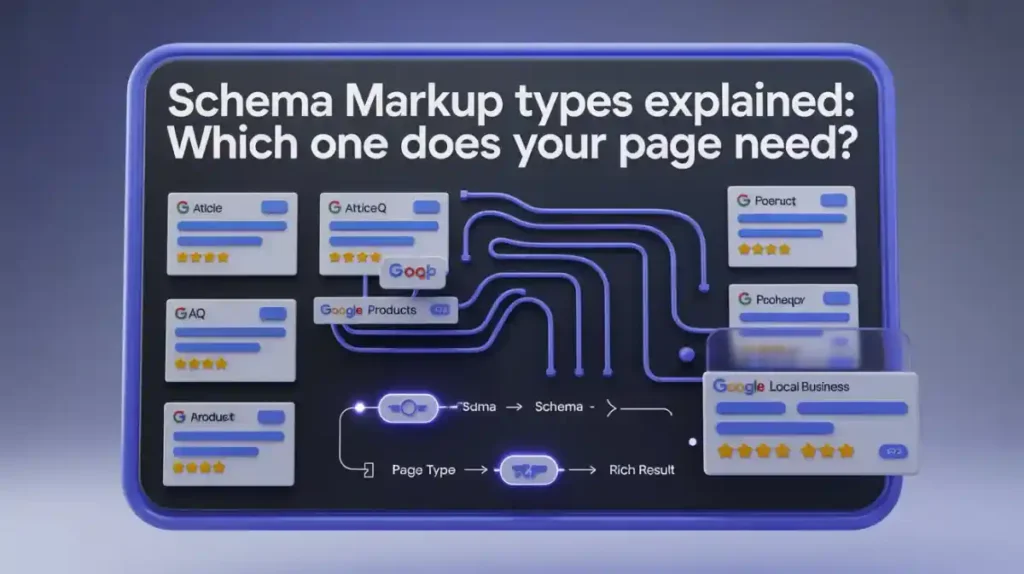
If you have ever searched for something on Google and noticed star ratings, FAQs, prices, or breadcrumbs appearing right in the search results — that is schema markup doing its job. Most website owners either ignore it completely or add it randomly without understanding which type actually fits their page. The result? Missed opportunities for rich results, lower click-through rates, and pages that Google simply cannot understand as well as it could.
This guide breaks down every major schema markup type, explains exactly which one belongs on which page, and shows you how to implement it correctly — even if you have never written a single line of structured data before.
What Is Schema Markup? (And Why Should You Care?)
Schema markup is a form of structured data that you add to your website’s HTML to help search engines understand the content of your page more precisely. It uses a standardized vocabulary from Schema.org — a collaborative project supported by Google, Bing, Yahoo, and Yandex — to label your content in a machine-readable way.
Think of it this way. When you write “Dr. Ahmed opened his clinic in Lahore in 2018,” a human reader understands that Ahmed is a doctor, Lahore is a location, and 2018 is a date. But Google reads raw HTML. Without schema markup, it has to guess the context. With schema markup, you are explicitly telling Google: this is a Person, this is a MedicalBusiness, this is a date of founding.
That extra context is what powers rich results — those enhanced search listings with ratings, images, FAQs, prices, and more that dramatically improve your visibility in Google Search.
According to Google’s own documentation, structured data helps its systems better understand page content, which directly influences how your page appears in search results and whether it qualifies for rich result features.
How Does Schema Markup Actually Work?
There are three main formats for implementing schema markup:
JSON-LD (JavaScript Object Notation for Linked Data) is the format Google recommends and most developers prefer. You add a small script block to your page’s <head> or <body> section. It does not interfere with your visible HTML at all, making it clean and easy to manage.
Microdata embeds structured data attributes directly into your HTML elements using properties like itemscope, itemtype, and itemprop. It works but is messier to implement and maintain.
RDFa (Resource Description Framework in Attributes) is another HTML attribute-based format, more common in government and academic websites.
For most websites — whether WordPress, Shopify, or custom-built — JSON-LD schema markup is the clear winner. It is easier to add, easier to debug, and fully supported by Google’s Rich Results Test tool.
The Most Important Schema Markup Types (With Real Examples)
Now let us get into the part that actually matters — which schema markup type does your specific page need?
1. Article Schema Markup
Best for: Blog posts, news articles, editorial content, how-to guides
Article schema tells Google that your page is a piece of editorial content. It includes properties like headline, author, datePublished, dateModified, image, and publisher. When implemented correctly, it can help your content appear in Google News, Top Stories carousels, and with author information in search results.
If you run a blog or publish regular content — like the guides published on Toolify Worlds’ blog — Article schema should be on every single post. There are three sub-types worth knowing:
Article— General editorial contentNewsArticle— Breaking news and current events coverageBlogPosting— Specifically for blog posts and opinion pieces
Example use case: A blog post about featured snippet optimization published on a content site would use BlogPosting schema with the author’s name, publication date, and a featured image URL.
2. FAQ Schema Markup
Best for: Pages with question-and-answer sections, support pages, blog posts with FAQ sections
FAQ schema is one of the most powerful types available right now. When Google approves it, your page can display an expanded list of questions and answers directly in the search results — dramatically increasing your SERP real estate without needing to rank higher.
The FAQPage schema type requires at least one Question and Answer pair. Each answer should be concise, accurate, and genuinely useful — not padded just for search engines.
Important note: Google has tightened FAQ rich result eligibility. They now prioritize FAQ rich results for authoritative government and health websites. However, the schema still helps Google understand your content for AI Overview and featured snippet eligibility — which makes it worth implementing regardless.
You can generate FAQ schema instantly using the free FAQ Schema Generator at Toolify Worlds — no login required, no coding needed.
3. Product Schema Markup
Best for: E-commerce product pages, individual product listings, comparison pages
Product schema is essential for any online store. It communicates to Google the key details about a product: name, image, description, brand, SKU, price, currency, availability, and — critically — aggregate ratings and reviews.
When implemented correctly, product schema enables star ratings, price ranges, and stock status to appear directly in Google Shopping and organic search results. For competitive e-commerce niches, this alone can increase click-through rates significantly.
Key properties to include:
nameanddescriptionimageoffers(withprice,priceCurrency,availability)aggregateRating(withratingValueandreviewCount)brand
For Shopify store owners, most themes include basic product schema but often lack the aggregateRating property — which is the one that actually enables star ratings in search results.
4. Local Business Schema Markup
Best for: Physical business locations, service area businesses, restaurants, clinics, law firms, plumbers
LocalBusiness schema is arguably the most impactful schema type for businesses serving a specific geographic area. It directly supports local SEO by giving Google precise, structured information about your business that feeds into local search results and Google Maps.
For local SEO, this schema type is non-negotiable. The core properties include:
name— Your business name exactly as it appears on Googleaddressusing thePostalAddressproperty — street address, city, postal code, countrytelephoneandemailopeningHoursoropeningHoursSpecificationgeo— latitude and longitudeareaServed— the city or region you servehasMap— link to your Google Maps listingpriceRange— using the dollar sign scale (e.g., “$$”)aggregateRating
There are also specific sub-types under LocalBusiness that Google recognizes for enhanced results:
Restaurant— for food businessesMedicalBusinessorDentist— for healthcare providersLegalServiceorAttorney— for law firmsHomeAndConstructionBusiness— for plumbers, electricians, contractors
If you are a restaurant in Karachi, using Restaurant schema with servesCuisine, menu, and openingHours properties dramatically improves your visibility in local search. A dentist in Lahore using Dentist schema with medicalSpecialty and PostalAddress gets a structured presence that supports Google Business Profile integration.
For multi-location businesses, you need a separate LocalBusiness schema block for each physical location — not one generic block for the whole company.
5. Review and AggregateRating Schema
Best for: Product pages, service pages, business pages, recipe pages, app pages
Review schema allows you to mark up individual user reviews. AggregateRating schema lets you display the combined rating across all reviews. These are often used together with Product, LocalBusiness, or Recipe schemas rather than standalone.
This is what powers those gold stars in Google Search. Without aggregateRating markup, your page simply cannot show star ratings — no matter how many reviews you have.
The critical properties are:
ratingValue(e.g., 4.7)reviewCountorratingCountbestRating(usually 5)worstRating(usually 1)
One important warning: Google strictly prohibits self-serving review markup. Only real, third-party reviews should be marked up. Fabricating ratings is a manual action risk.
6. HowTo Schema Markup
Best for: Tutorial pages, step-by-step guides, DIY content, instructional blog posts
HowTo schema tells Google that your page explains how to complete a specific task in a series of steps. When eligible, it can generate a rich result that shows the steps, tools required, estimated time, and cost — all in the search results.
Each step uses the HowToStep property with a name and text. You can also include:
totalTime(using ISO 8601 duration format, e.g., PT30M for 30 minutes)estimatedCosttoolandsupply- Images for each step
If you publish tutorials or guides — for example, a guide on how to implement schema markup on WordPress — HowTo schema should be your first choice.
7. BreadcrumbList Schema
Best for: Every page on a multi-level website, e-commerce sites, blogs with categories
BreadcrumbList schema tells Google the hierarchical position of a page within your site structure. It enables breadcrumb navigation to appear in search results instead of just the raw URL — which improves both click-through rates and user trust.
The implementation is straightforward. Each breadcrumb item is a ListItem with a position, name, and item (the URL). For example, a product page URL path might be: Home > Electronics > Smartphones > iPhone 15.
This type of schema should honestly be on every page of your website. It is low effort, high reward, and helps Google understand your site architecture — which matters for crawling and indexing efficiency.
8. Organization Schema
Best for: Homepage, About page, Contact page
Organization schema establishes your brand as a recognized entity in Google’s knowledge graph. It includes your company name, logo, contact information, social media profiles, and founding details. This is what helps power knowledge panels and brand recognition in search.
Key properties:
nameandurllogo(with specific image dimensions Google recommends)contactPointsameAs— list of your social media profile URLs (this is crucial for entity SEO)foundingDateandfounder
The sameAs property is especially important for entity-based SEO. It connects your website to your profiles on LinkedIn, Twitter/X, Facebook, YouTube, and Wikipedia — helping Google confirm that these are all the same organization.
9. Person Schema
Best for: Author pages, about pages for individuals, personal portfolio sites
Person schema is similar to Organization schema but for individuals. It is essential for establishing author authority — a key component of Google’s E-E-A-T (Experience, Expertise, Authoritativeness, Trustworthiness) framework.
If your website publishes content and you want author bylines to carry SEO weight, Person schema on each author’s profile page — connected to their Article schema via the author property — builds a strong entity relationship that Google values.
Include name, jobTitle, url, sameAs (LinkedIn, Twitter), alumniOf, and knowsAbout to build a complete entity profile.
10. VideoObject Schema
Best for: Pages with embedded videos, YouTube channel pages mirrored on your site, video tutorials
VideoObject schema helps Google index and display your videos as rich results. It enables video carousels, timestamps, and key moments to appear in search results — particularly valuable now that video content is increasingly featured in Google’s AI Overviews.
Essential properties include name, description, thumbnailUrl, uploadDate, duration, and contentUrl or embedUrl. If your video has chapters, adding hasPart with Clip objects allows Google to show seekable timestamps directly in search results.
11. Event Schema
Best for: Event listing pages, conference pages, webinar pages, concert listings
Event schema marks up physical or virtual events with details including name, startDate, endDate, location, organizer, offers (for ticket prices), and eventStatus. Google can display events in a dedicated rich result format with dates, location, and ticket links.
If you are running webinars, workshops, or local events, this schema type can get your listing featured prominently in event-specific search results.
12. Recipe Schema
Best for: Food blogs, cooking websites, recipe pages
Recipe schema is one of the richest schema types available. When fully implemented, it enables rich results with a photo, star rating, cooking time, calorie count, and ingredients — all visible before the user even clicks. For food bloggers, this can be transformational for organic traffic.
Key properties: name, image, author, datePublished, description, prepTime, cookTime, totalTime, recipeYield, recipeIngredient, recipeInstructions, nutrition, and aggregateRating.
13. SiteLinksSearchBox Schema
Best for: Homepage only, large websites with internal search functionality
SiteLinksSearchBox schema tells Google that your website has a search function and requests that a search box appear directly in your Google search result. This is typically only granted to large, authoritative websites but is worth implementing if you have an internal search tool — like the tools directory at Toolify Worlds.
Schema Markup for AI Overview: What You Need to Know
Google’s AI Overview (formerly SGE) pulls structured, entity-rich content to generate its AI-powered answers at the top of search results. Schema markup directly feeds this system in several ways.
First, FAQ schema and HowTo schema create naturally structured question-answer pairs that AI systems can extract and cite. Second, Article and BlogPosting schema with proper author and date information signals recency and authority. Third, Organization and Person schema strengthen your entity recognition, making your content a trusted source for AI-generated answers.
To maximize AI Overview visibility, your schema implementation should be paired with:
- Direct, concise answers to specific questions within your content
- Clear entity relationships (author → organization → topic)
- NLP-friendly content structure with short, declarative paragraphs
- Consistent use of the same entity names across all schema types and visible content
If you want to learn more about optimizing for featured snippets and AI overview simultaneously, check out this in-depth guide on Featured Snippet Optimization at Toolify Worlds.
How to Choose the Right Schema Markup for Your Page
Here is a practical decision framework:
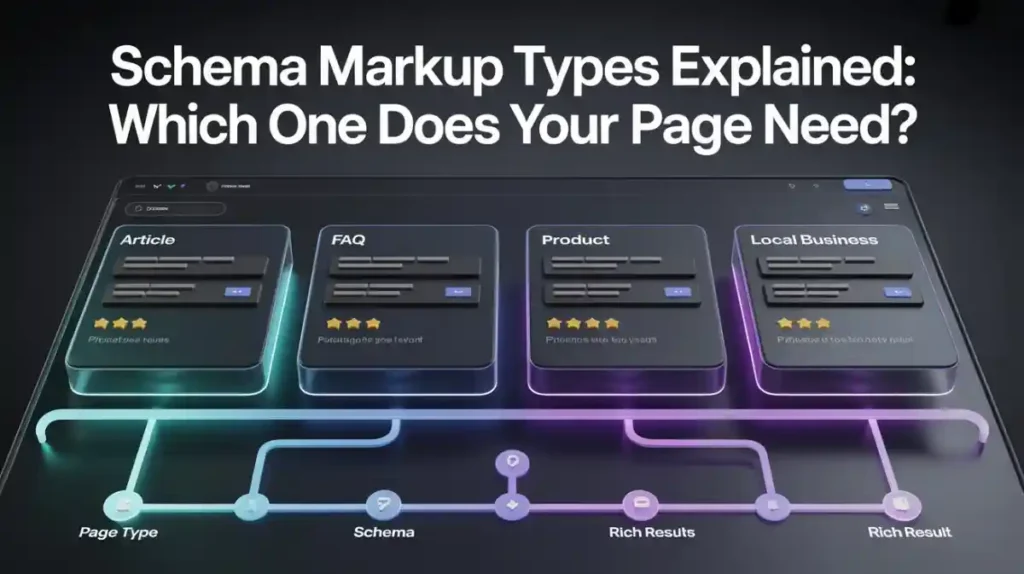
Homepage → Organization schema + SiteLinksSearchBox (if applicable)
Blog post / Article → Article or BlogPosting schema + BreadcrumbList + FAQ schema (if page has FAQ section)
Product page → Product schema + AggregateRating + BreadcrumbList
Local business page → LocalBusiness schema (use the specific sub-type for your industry)
About page → Organization schema or Person schema
How-to guide → HowTo schema + Article schema + BreadcrumbList
Video page → VideoObject schema
Event page → Event schema
Recipe page → Recipe schema + AggregateRating
FAQ page → FAQPage schema
Multiple schema types can and should co-exist on a single page. A blog post with an FAQ section can have both BlogPosting and FAQPage schema. A product page with reviews should have Product, AggregateRating, and BreadcrumbList schema simultaneously.
How to Validate Your Schema Markup
After implementing any schema markup, always validate it using Google’s official Rich Results Test. This tool shows you exactly which rich result types your page is eligible for, highlights any errors or warnings, and previews how your result may appear in Google Search.
You can also monitor structured data performance in Google Search Console under the “Enhancements” section, where Google reports errors, warnings, and valid items for each schema type it detects on your site.
For a deeper technical SEO audit that includes structured data review, the Technical SEO Checklist at Toolify Worlds is a solid starting point.
Free Tools to Generate Schema Markup (No Coding Required)
You do not need to be a developer to implement schema markup. Several free tools let you generate clean JSON-LD code instantly:
Toolify Worlds FAQ Schema Generator — The free FAQ Schema Generator at Toolify Worlds lets you create properly formatted FAQ schema in seconds. No login required.
Google’s Structured Data Markup Helper — A visual tool where you highlight elements on your page and Google generates the schema code automatically.
Schema Markup Validator (schema.org/validator) — For checking existing schema against Schema.org specifications beyond just Google’s requirements.
Merkle Schema Markup Generator — A comprehensive free tool for generating Organization, LocalBusiness, Product, and many other schema types in JSON-LD format.
Yoast SEO and Rank Math — For WordPress users, both plugins automatically generate schema markup for your content based on the page type — though manual review and customization is always recommended.
Explore more free SEO tools without signup at Toolify Worlds — including meta tag generators, heading checkers, and SEO score analyzers.
Frequently Asked Questions About Schema Markup Types
What is schema markup in SEO? Schema markup is structured data code added to a webpage that helps search engines understand the content’s context — for example, identifying a page as a product listing, article, or local business. It uses the Schema.org vocabulary and is most commonly written in JSON-LD format. It does not directly boost rankings but enables rich results that improve click-through rates and visibility.
Which schema markup type should I use for my website? It depends entirely on your page type. Use Article or BlogPosting for blog content, Product for e-commerce pages, LocalBusiness for physical businesses, FAQPage for question-answer content, HowTo for tutorials, and Organization for your homepage. Many pages benefit from multiple schema types used together.
Does schema markup guarantee rich snippets in Google? No. Schema markup makes your page eligible for rich results, but Google decides whether to actually display them based on quality, relevance, and content policies. Pages with errors in their schema, thin content, or policy violations will not receive rich results even with valid markup.
What is the difference between JSON-LD and microdata schema? JSON-LD is a separate script block added to your page — it does not touch your visible HTML. Microdata embeds attributes directly into your HTML elements. Google recommends JSON-LD because it is easier to implement, maintain, and update without risking changes to your page layout.
Can schema markup help my page appear in Google’s AI Overview? Yes. Properly implemented schema markup — especially FAQ, HowTo, Article, and Organization schema — helps Google’s AI systems understand and trust your content. Combined with direct, concise answers to specific questions, schema markup significantly improves your chances of being cited in AI Overview results.
Is schema markup a direct ranking factor? Schema markup itself is not confirmed as a direct ranking factor by Google. However, it indirectly improves SEO performance by enabling rich results that increase click-through rates, by improving content understanding which can influence featured snippet eligibility, and by building entity recognition that strengthens overall domain authority over time.
How do I validate my schema markup for free? Use Google’s Rich Results Test at search.google.com/test/rich-results to check any URL or code snippet for errors, warnings, and rich result eligibility. For Schema.org compliance beyond Google’s requirements, use validator.schema.org.
Conclusion: Start With the Schema That Matches Your Page
Schema markup is not a one-size-fits-all solution — and that is actually a good thing. The specificity of Schema.org’s vocabulary means you can give Google exactly the right signals for every type of content on your site.
Start with the basics: add Organization schema to your homepage, Article or BlogPosting schema to your blog posts, and BreadcrumbList schema site-wide. Then layer in the specialized types — Product, LocalBusiness, FAQ, HowTo — on the pages where they genuinely apply.
The websites that rank consistently in 2026 and show up in AI Overviews are not just publishing good content. They are making that content machine-readable, entity-rich, and semantically structured. Schema markup is the bridge between what you write and what Google truly understands.
Ready to generate your first schema markup for free? Explore the free FAQ Schema Generator and other no-login SEO tools at Toolify Worlds — and start making your pages work smarter in search.






